The Steam Deck Writing Setup
The other day, I unpacked my very cool Steam Deck laptop setup to get some writing done at night. It is basically made up of a portable monitor and a Bluetooth keyboard and mouse. I will make a separate post about it.
All was going swell until the lights turned off. My wife wanted to go to sleep but was fine with the screen brightness turned down. Unfortunately, my keyboard isn’t backlit, and it’s a dark grey color in a smaller size. I got completely blinded. I am used to typing without looking at the keyboard at all, but probably due to the size of the keyboard and my sitting position on the bed, I could not get any light on the thing or find my way around the letters.
On top of that, I felt the call of nature, which meant packing everything up again and placing it on the bed or back into the backpack. It was a hassle, even though I don’t want to admit it.
The Computers I Already Own
A little while ago I became interested in writing a story. I have a few computers at home that could help me get my inner creative flowing and start typing some sci-fi action:
-
A desktop which sits in an office in the backyard, inside a cold shed. It takes effort to get it prepared by heating up the space, putting on extra clothes (no heater is enough in the northern winter), and walking out there. No way I am going through all that to maybe write 500 words—or less if I cannot focus. Also, it is my workplace and I don’t want to be there any time other than work. It’s depressing.
-
A 2015 Dell Latitude laptop that stayed with me for years. It has a replacement battery as of last year, which meant it became mobile again, but it has other issues too. The trackpad needs replacement, the screws at the bottom won’t latch on, and there is a clicking sound coming from the fan from time to time. All serviceable by ordering some parts, but again, too much hassle. Also, my 11-year-old uses it for Scratch games and to generate images with AI and is having a ton of fun.
Note to self: Another post about this should be made. -
The last usable device is my wife’s MacBook Air (M1, 2020 model). This thing feels premium compared to other laptops I’ve used in the past. We bought it for her when she returned to complete her degrees four years ago. She’s doing her master’s now, so that is her daily driver. It has the latest macOS and is still going strong. Only 8GB RAM and 256GB storage, but it is plenty for everything we need it to do. I especially like its screen quality, sound, and the keyboard. I was not a Mac person and I still have my issues with its proprietary nature and behavior, but that is mostly due to the operating system. I’ve gotten used to it over the years and, most importantly, I’ve learned how to search the web as a Mac user when we run into problems.
The Steam Deck Laptop Experiment
So with these options—or the lack of them—and also me being a cheap ass, I decided to use my Steam Deck as a laptop instead.
We don’t have much space in our living quarters currently, though we hope to increase our space soon, so a small portable setup was needed. I found a $50 portable monitor which works like magic. I sit on a chair or on the bed, place the Deck on the side, and connect it to the monitor with a short cable. I also found a $25 keyboard/mouse combo using Bluetooth for a clean setup.
I’ve been trying to write this way for a bit, but when you are borderline ADHD you need quicker and easier solutions. I would feel lazy grabbing my backpack and setting everything up, then juggling four different devices when someone needs me or when I need a break.
The setup is so cool though, especially if I place it properly on a desk. Then again, if I had the desk space I would probably just set up a monitor or move my desktop there. In any case, I am a Steam Deck fan, so the setup stays for gaming and maybe as a second desktop eventually when we have more space.
Now let’s get to the actual purpose of this post.
As I mentioned earlier, I had to undo my Steam Deck setup to go to the restroom. When I came back, the room was completely dark and I didn’t want to turn on the lights. I had a little struggle putting everything back into the backpack.
The Unexpected Laptop Discovery
Tired and a little frustrated because I couldn’t write anything, I grabbed my phone and started looking for a cheap laptop. I was thinking about a very cheap Acer or maybe a Chromebook that I could install Fedora on. But Chromebooks I do not like, and cheap laptops feel really cheap.
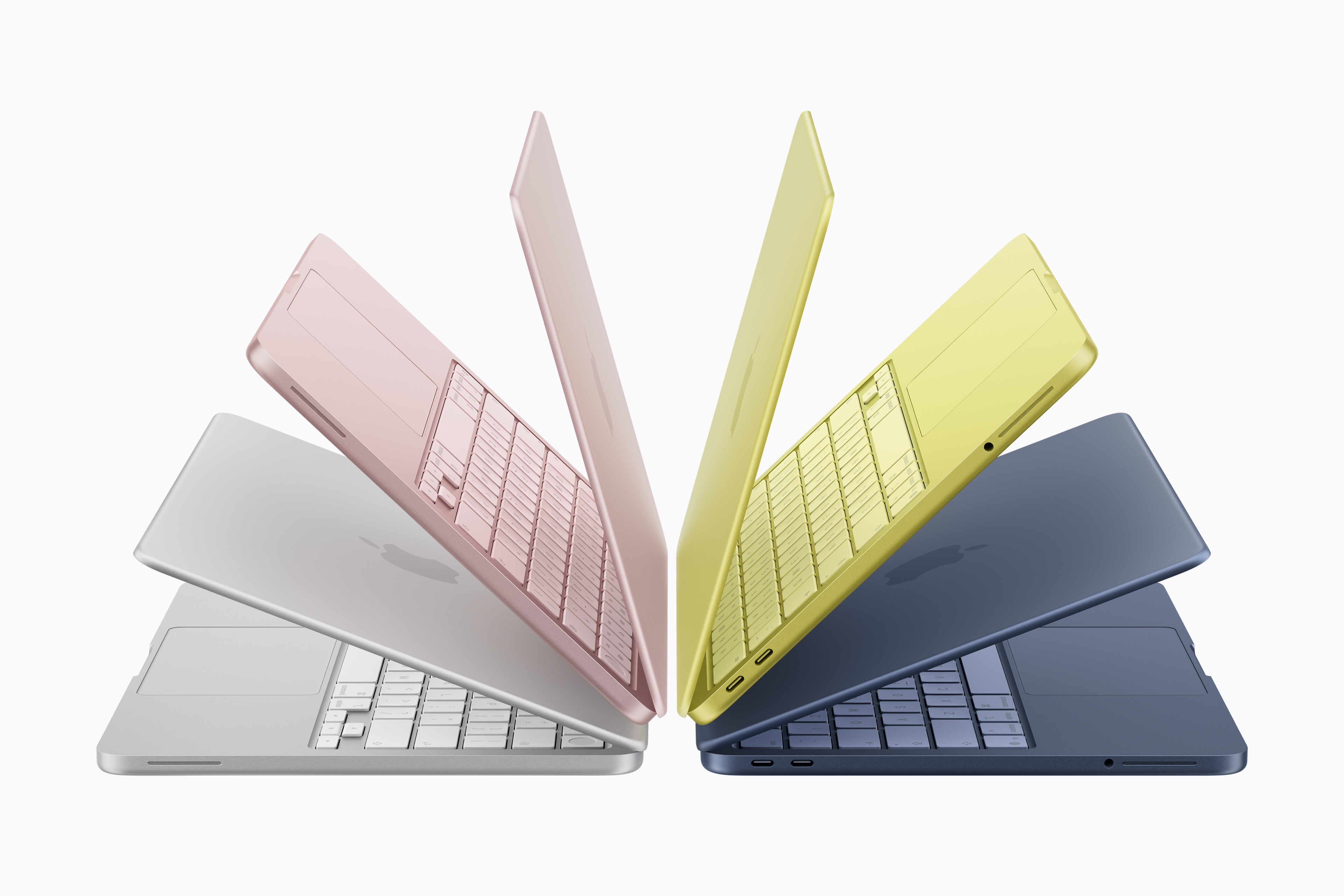
It did not take long before articles about the new MacBook Neo that is about to be released grabbed my interest.
I clicked—and was amazed.
Apple is releasing a new and cheap laptop in a few days. It has a chip they used in their phones, but it is apparently as fast as an M4 MacBook Air chip. This means the thing will run better than our current M1 Air, which I admittedly admire quality-wise.
The Neo seems to have the same build quality and speed as their refurbished Air models and is being sold at $500 with a student discount, which we can get.
I’ve been going through specs and hands-on reviews over the last couple of days and feel like I am exactly the target audience for this laptop. It is cheap for the quality keyboard, screen, and shell it comes with. The speed will be plenty for me, as well as the storage.
It is small and light, so it will definitely help me write more since I can just pick it up and close it quickly if needed. That’s basically what a laptop is for, obviously—but the superior quality compared to other laptops in the same price range is hard to deny.
The only downside I can see is the lack of a backlit keyboard.
They designed it with lighter-colored keys, which I assume are easier to see. I also did a test with our MacBook Air: I turned off the keyboard lights and went into a pitch-black room. With the screen brightness halfway up, I could see the whole keyboard, even though the keys are black. With the screen dimmed all the way down, I could still see the keys well enough to type.
Again, the keyboard on MacBooks has a really good feel to me, and I can type easily on it. With the white keyboard on the Neo, I think there won’t be much of an issue.
Maybe the Perfect Writing Laptop?
So, I am excited.
I’ve never been excited about a Mac device before.
I went to the Apple Store today but they did not have the Neo on display yet. I checked out other MacBooks and iPads with keyboards. The iPad keyboards felt good too, except for the smaller ones which are a bit too tiny for my hands.
But the cheapest iPad with a keyboard is more expensive than the Neo!
Let’s hope I can get my hands on one in either blue or silver when they come out.